
Appearance
Stock counts
An audit round is a physical check: walk the office, confirm each asset is where the system says it is, and record what you actually found.
Menu path HR › Assets › Inventory
Address https://hub.cnvconnect.com/assets/audit
Permission asset_audit:view
Who uses it office managers, finance
The screen
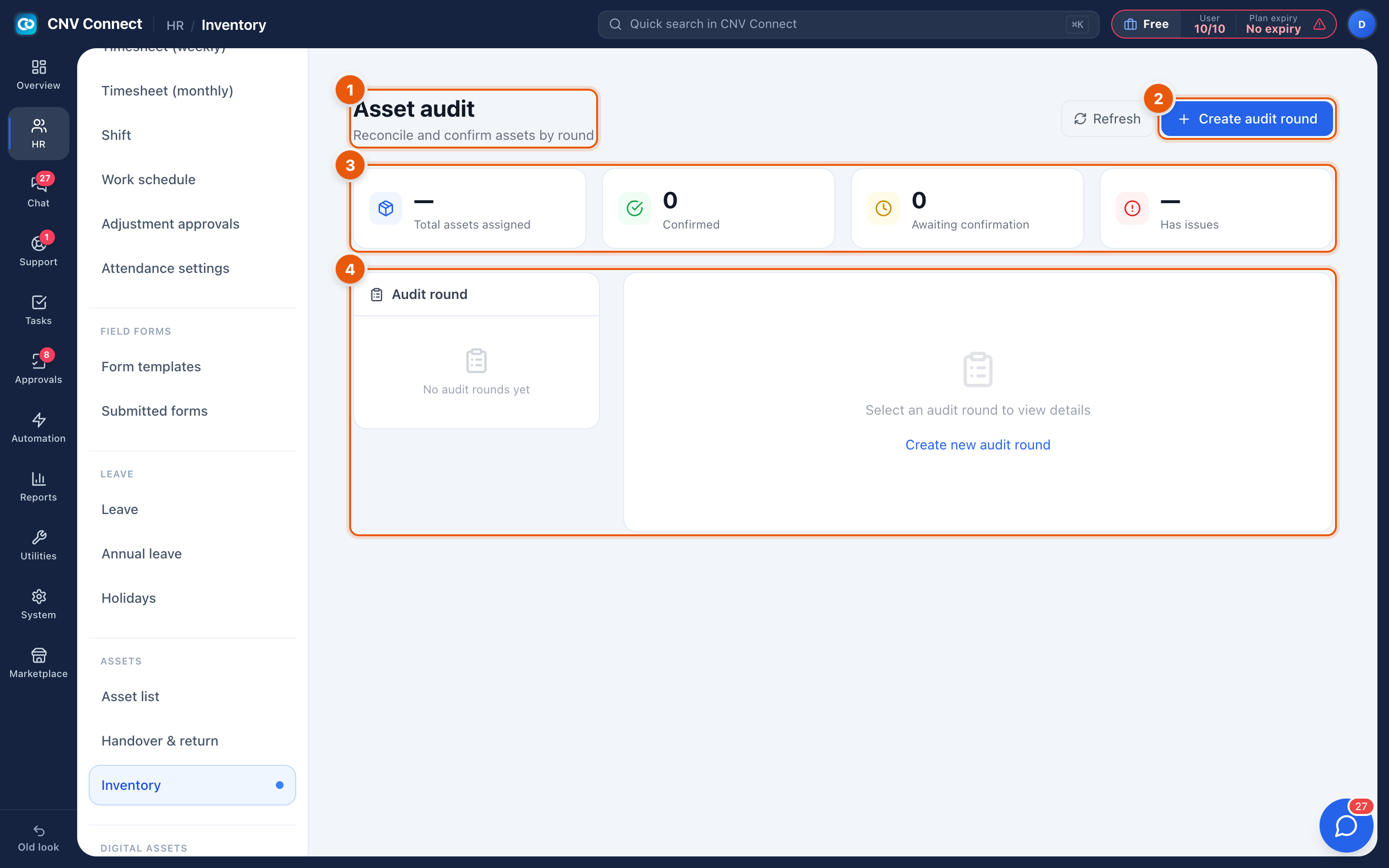
- Page title — asset audit: reconcile and confirm assets by round.
- Create audit round — starts a new count. Refresh beside it re-reads the list.
- Round summary — total assets assigned, confirmed, awaiting confirmation, and how many have issues.
- Audit round panel — the rounds you have run; empty until you create the first one.
How to…
Run a count
- Select Create audit round and name it after the period ("Q3 2026, Toronto office").
- Choose the scope — everything, one location, or one asset type.
- Work through the generated checklist, marking each asset as found, missing or in a different condition than recorded.
- Close the round. Discrepancies stay attached to it as the record of what was wrong.
Deal with what you find
| Finding | Action |
|---|---|
| Asset present, wrong holder | Record a handover to the real holder |
| Asset missing | Set its status accordingly and note the round it disappeared in |
| Condition worse than recorded | Update the condition on the asset |
Notes
- Counting is only useful if it is repeated — a round per quarter beats one exhaustive round per decade.
- A closed round is a snapshot; later changes to assets do not rewrite it.
- Assets held by people who have left are the most common finding, which is why off-boarding should always include a revoke.