
Appearance
Support categories
The list of things a ticket can be about. Categories drive routing, reporting and, in most workspaces, which SLA applies.
Menu path Support › Settings › Support types
Address https://hub.cnvconnect.com/tickets/categories
Permission ticket_categories:view
Who uses it support administrators
The screen
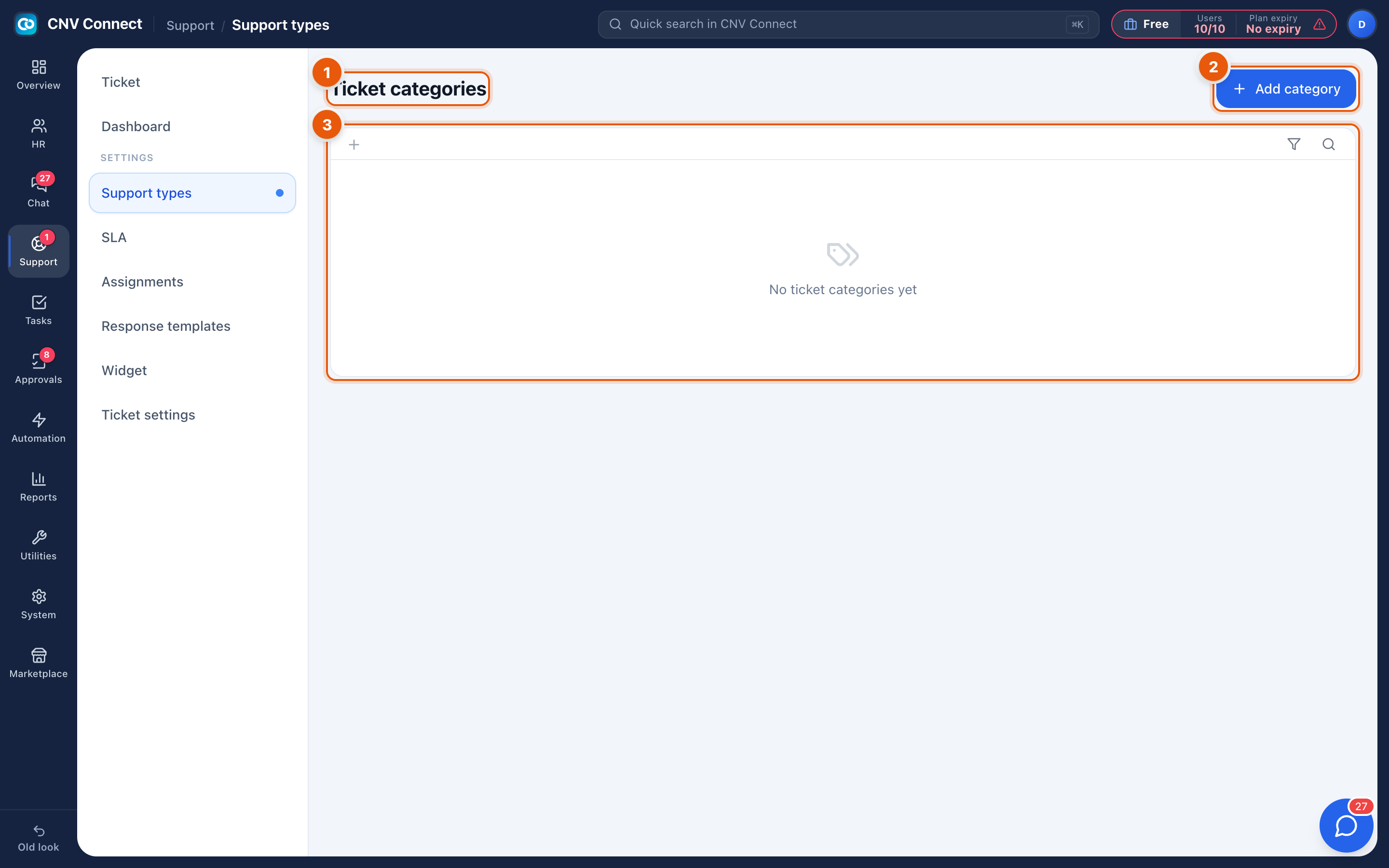
- Page title — ticket categories.
- Add category — create one.
- Empty state — a new workspace starts with no categories; tickets are simply Uncategorized until you add some.
How to…
Design a category list
Keep it short — six to ten entries that a agent can choose in a second. A workable starting set:
| Category | Typical content |
|---|---|
| Bug | Something is broken |
| How do I…? | Usage question |
| Access | Accounts, passwords, permissions |
| Data change | Corrections somebody must make for the customer |
| Feature request | Wishes, to be triaged elsewhere |
| Billing | Invoices, plans, payments |
Add one
- Select Add category.
- Name it, and give it a colour or icon if offered so the queue is scannable.
- Save. It appears in the classification picker on every ticket immediately.
Retire one
Deactivate rather than delete, so historical tickets keep their classification and the reports stay comparable.
Notes
- Categories feed assignment rules: "everything in Billing goes to the finance team" is a rule built on this list.
- The support dashboard splits volume by category, so the list you design here is the vocabulary of every later report.