
Appearance
Google integration
Connects the workspace to Google Drive and Google Workspace, so documents the system creates can be stored in a Drive folder and calendar events can be created from meetings.
Menu path System › Integrations › Google
Address https://hub.cnvconnect.com/settings/google
Permission int_google:view
Who uses it administrators
The screen
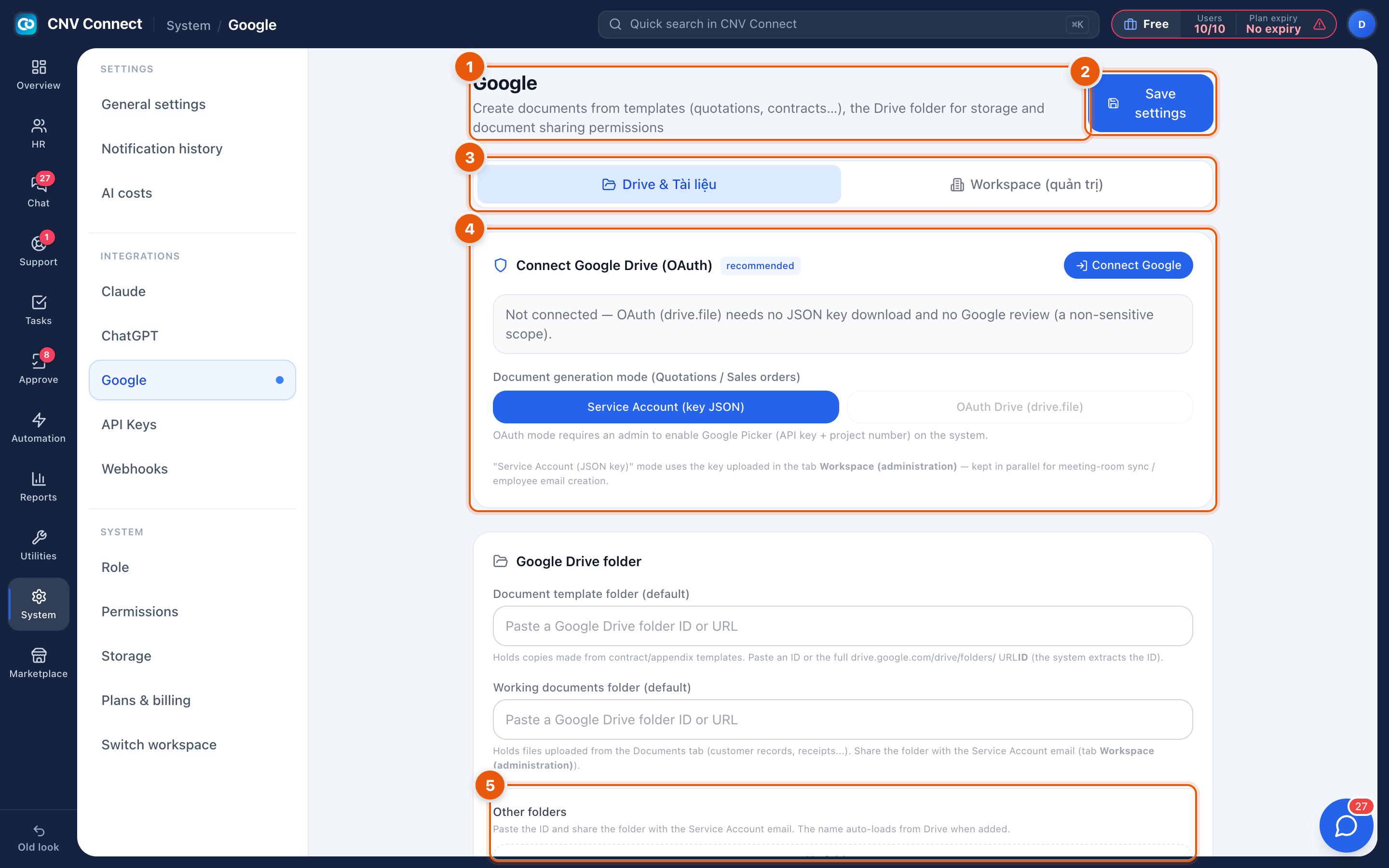
- Page title — create documents from templates and file them in Drive.
- Save settings — nothing takes effect until you save.
- Tabs — Drive and documents, and Workspace administration.
- Connect Google Drive (OAuth) — the recommended path: Connect Google opens Google's consent screen and links an account. The status underneath shows Not connected until it succeeds.
- Folders — paste a folder ID or URL. The document template folder is where generated documents are filed; other folders must be shared with the service account.
How to…
Connect Drive the easy way
- Select Connect Google and sign in with the account that owns the destination folder.
- Approve the permissions Google lists.
- Paste the folder URL into Document template folder and save.
- Generate one document and confirm it appears in the folder.
Use a service account instead
Choose this when the connection must not depend on one person's Google account. Create the service account in Google Cloud, download its JSON key, upload it here, and share the target Drive folder with the service account's e-mail address — that last step is the one people forget.
Notes
- The connection is per workspace, not per user; everybody's generated documents go to the same folder.
- If the connected account loses access to the folder, document generation fails silently from the user's point of view — check Notification history.
- Signing in to CNV Connect with Google is separate from this page and needs no setup here.