
Appearance
Teams and departments
Departments group people so that everything else can be organised by them: attendance filters, leave approvals, reports, ticket routing and chat channels. Set them up early — most other pages have a "department" filter that is useless until this list exists.
Menu path HR › Teams / Departments
Address https://hub.cnvconnect.com/teams
Permission teams:view
Who uses it HR and administrators
The screen
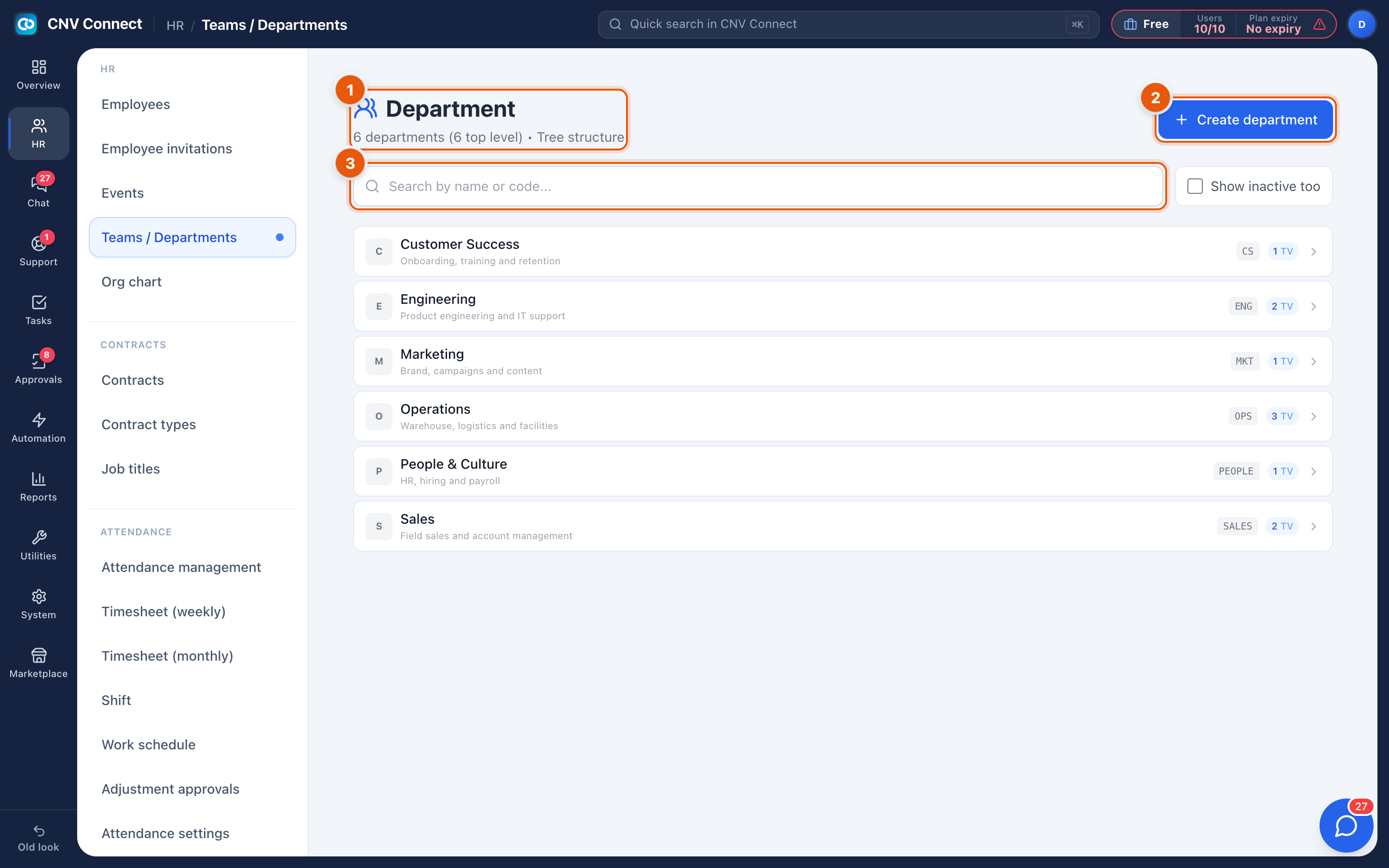
- Search — filter by department name or code.
- Create department — adds a new one.
- Department card — the coloured initial, the name, a one-line description, the short code (for example
CS,ENG,OPS) and how many members it has. Select a card to open it and manage members.
How to…
Create a department
- Select Create department.
- Give it a name, a short code and a description. The code appears in compact tables and exports, so keep it to a few characters.
- Save, then open the card to add members.
Add or move people
- Open the department card.
- Add employees to it, or remove them. A person can only sit in one department at a time — adding them elsewhere moves them.
- Nominate the manager. The manager is who leave requests and approvals route to when a template says "the applicant's manager".
Rename or retire a department
Renaming is safe — history keeps pointing at the same department. If a department no longer exists, move its people out first; an empty department can be removed without touching anybody's history.
Notes
- Departments drive approvals. If nobody is set as manager, approval templates that route to the manager have nowhere to go and get stuck.
- Reports group by department, so people left unassigned show up in a "no department" bucket, which is usually a sign something was missed during onboarding.
- Team chat channels are separate from departments; creating a department does not create a channel automatically.