
Appearance
Bots
A bot is an identity that external software — or your own automations — can use to post messages into chat channels.
Menu path Utilities › Bot
Address https://hub.cnvconnect.com/settings/bots
Permission int_bot:view; the team chat module must be switched on
Who uses it administrators, developers
The screen
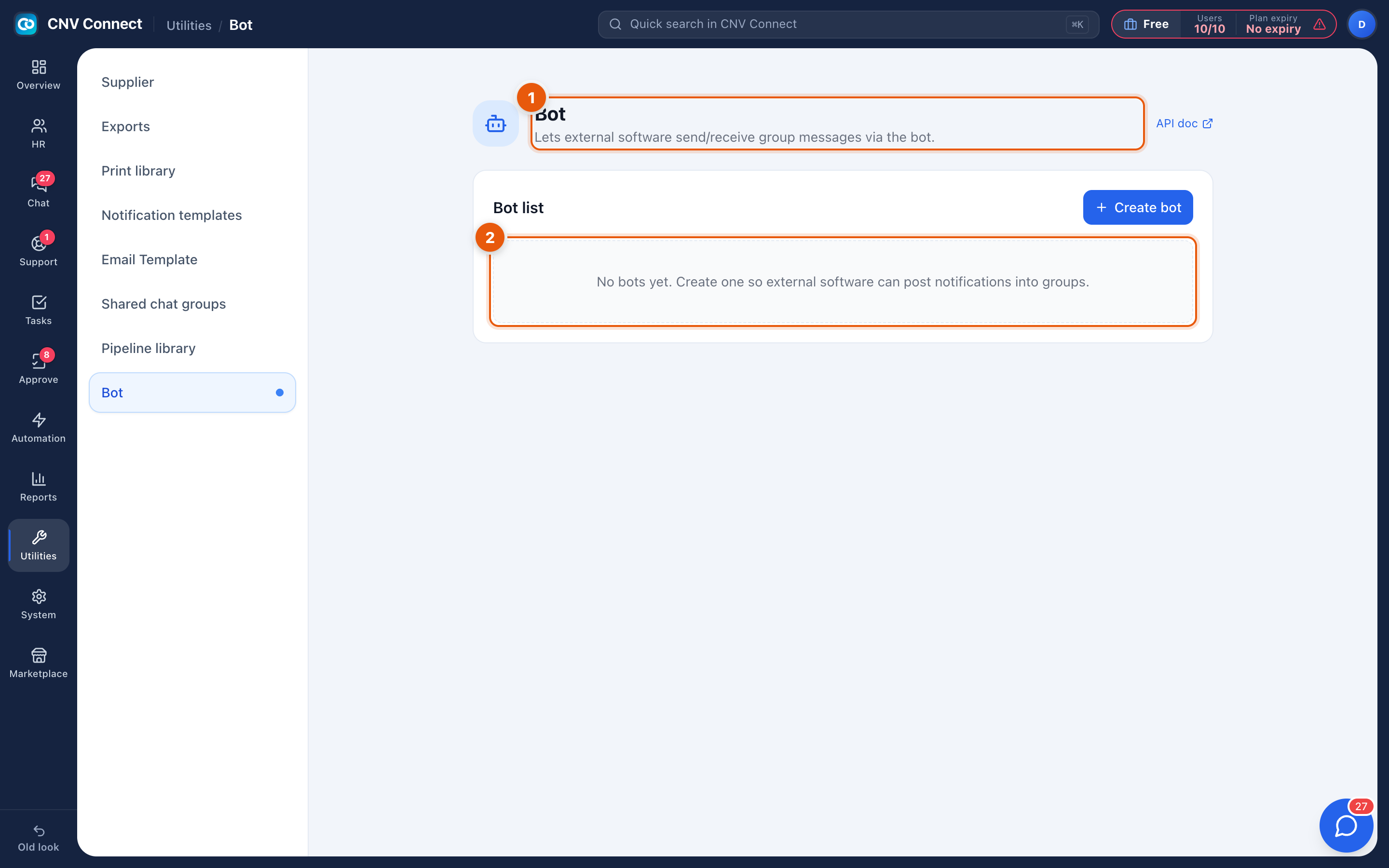
- Page title — bots let external software send and receive group messages. Create bot sits on this row.
- Bot list — the bots you have created. Empty until you add one: no bots yet, create one so external software can post notifications into groups.
How to…
Create a bot
- Select Create bot.
- Name it after what it will say — Deploy Bot, Reminder BOT — because that name appears on every message it posts.
- Copy the token when it is shown. It is the credential the calling system uses; store it in your secret manager, not in a document.
- Add the bot to the channels it should post into.
Use it
Your system posts to the bot's webhook with the message body. Messages appear in the channel attributed to the bot, with a BOT tag beside the name.
Rotate or revoke
If a token leaks, revoke it and issue a new one. Anything still using the old token stops posting immediately, which is the intended effect.
Notes
- Bots post; they do not read. A bot cannot see the conversation in a channel.
- Automations that post into chat use this mechanism — see Automation flows.
- A bot in a channel is visible to every member of that channel, so do not use one to relay anything confidential.