
Appearance
Switching workspaces
One CNV Connect account can belong to several workspaces — for example a head office and a subsidiary, or a service provider and one of its clients. Data never crosses between them: employees, tickets, tasks and files belong to exactly one workspace.
Menu path System › Switch workspace
Address https://hub.cnvconnect.com/select-workspace
Permission none — every signed-in user can see their own memberships
The workspace picker
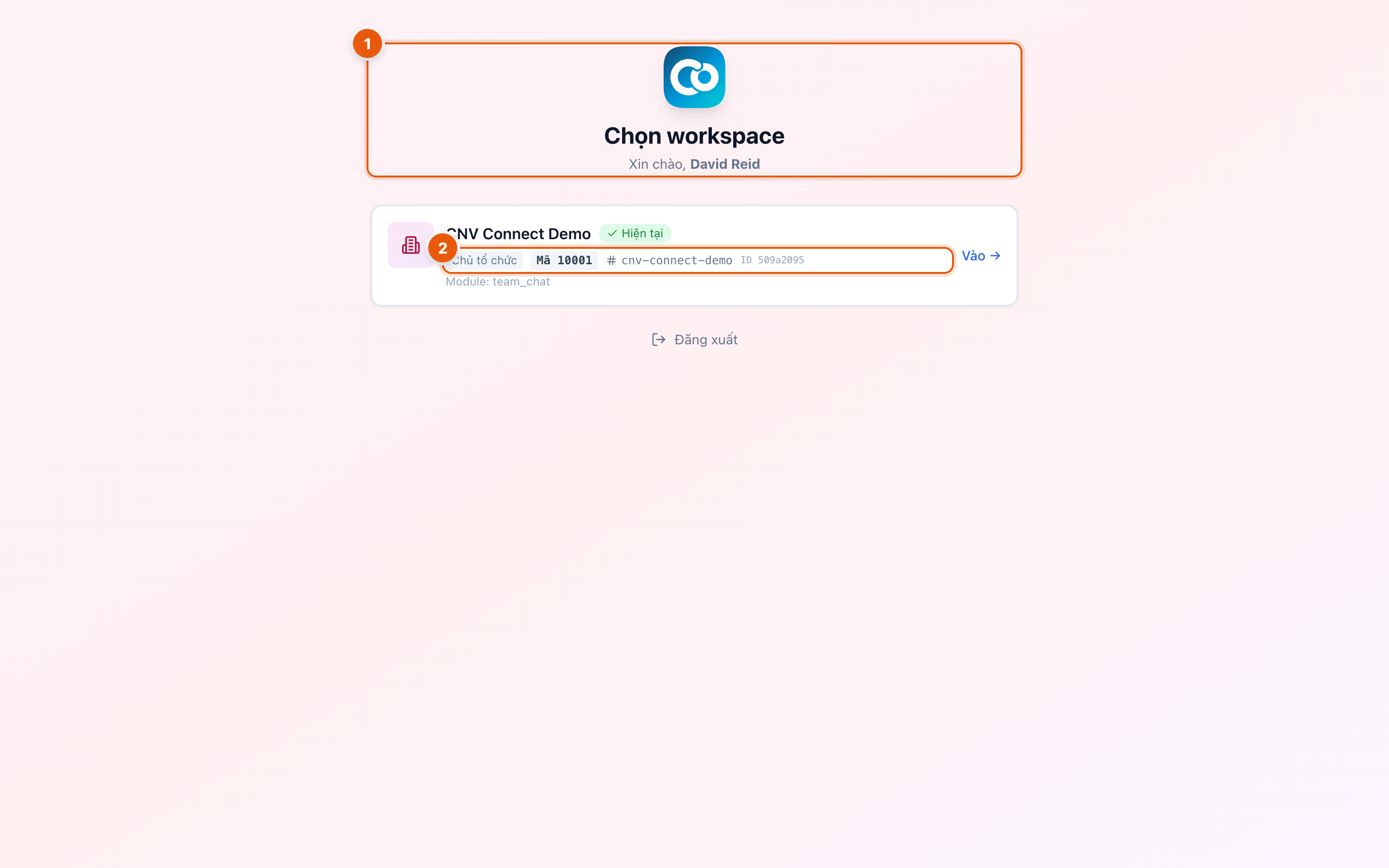
- Workspace card — one card per membership. It shows the workspace name, your role in it (owner, administrator, member), the workspace code and its short identifier. The card for the workspace you are in now is marked as current.
- Sign out — leaves the account entirely instead of switching.
This screen is not translated yet
The workspace picker still appears in Vietnamese: the heading reads "choose workspace", the badge on your current workspace reads "current", the role line reads "organisation owner", and the button at the bottom is "sign out".
How to switch
- Select your avatar, or open System › Switch workspace.
- Select the workspace you want.
- The page reloads with the new workspace's data, menu and permissions. Your role can be different in each one, so the menu may look different too.
If you belong to exactly one workspace, this screen is skipped after sign-in.
Why a workspace might be missing
| Situation | What it means |
|---|---|
| You were removed | An administrator revoked your membership |
| The workspace was suspended | Usually a billing problem — the owner is notified |
| The invitation was never accepted | Open the invitation e-mail and complete it first |
Things worth knowing
- Your language, theme and notification preferences are personal and follow you into every workspace.
- Notification badges show counts for the workspace you are currently in, not all of them.
- The mobile app connects to one workspace at a time and offers the same picker.