
Appearance
Notification history
Everything the workspace has tried to send: e-mails, chat messages, direct messages — and whether each one succeeded. This is the page to open when somebody says "I never got it".
Menu path System › Notification history
Address https://hub.cnvconnect.com/settings/notification-logs
Permission notification_logs:view
Who uses it administrators
The screen
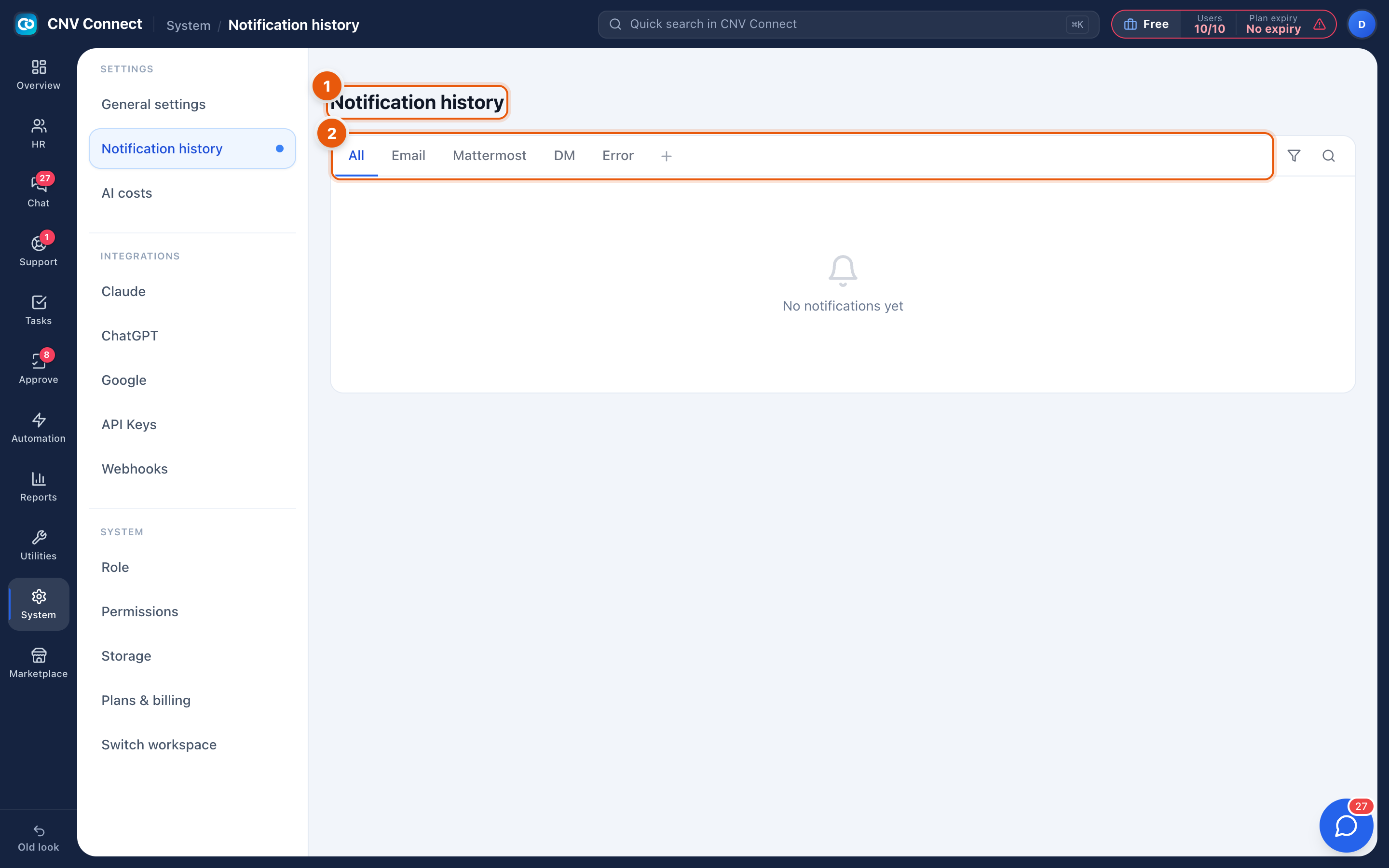
- Page title — notification history.
- Channel tabs — All, Email, Mattermost, DM, and Error. The list underneath shows one line per notification: when it was sent, to whom, through which channel, what triggered it, and its result.
How to…
Investigate "I did not receive it"
- Open the Error tab first — a failure is recorded there with its reason.
- If nothing failed, filter by channel and look for the message. A delivered e-mail that the person cannot find is usually in their spam folder.
- If the notification is not listed at all, it was never triggered: check the automation flow or the process that should have sent it.
Check that a new automation actually sends
Trigger it once, then look here. This is the fastest confirmation that a flow does what you think.
Notes
- The log records attempts, not reading. A successful e-mail means the mail server accepted it, not that anybody opened it.
- Entries are kept for a limited period, so investigate promptly.
- Repeated errors on the e-mail channel usually mean the workspace's mail configuration is incomplete rather than a problem with one recipient.