
Appearance
Digital asset costs
What the company's subscriptions cost and when each one renews — the page that stops a forgotten annual licence renewing for another year.
Menu path HR › Digital assets › Fee tracking
Address https://hub.cnvconnect.com/digital-assets/billing
Permission digital_assets_billing:view
Who uses it finance, IT
The screen
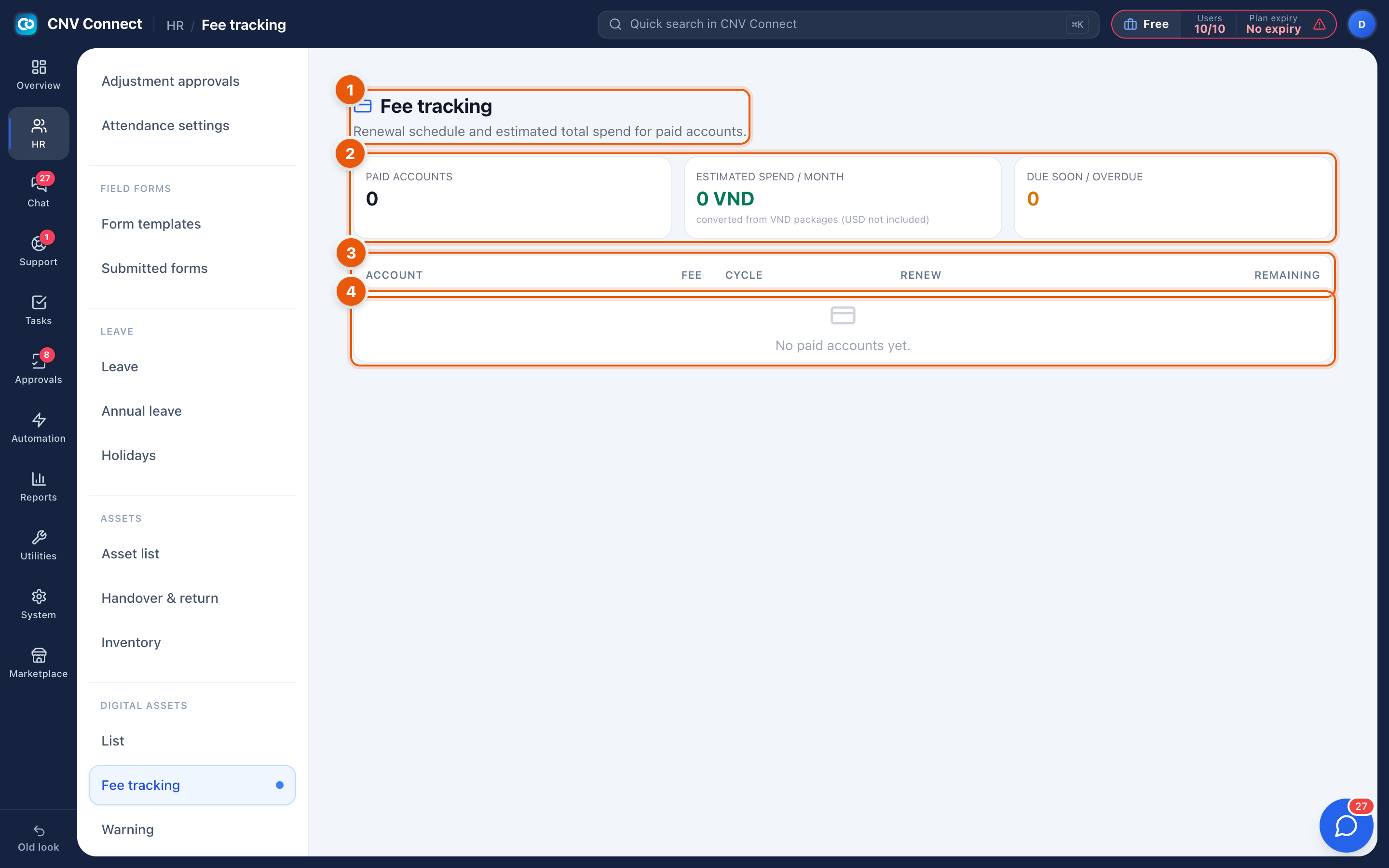
- Page title — fee tracking.
- Summary tiles — the totals: what you are committed to per period, and what renews soon.
- Columns — account, fee per cycle, cycle, next renewal date, and how long remains.
- A row — select it to open the account in Digital assets.
How to…
Build a picture of software spend
Every account with a fee and a cycle appears here. Accounts registered without a cost are missing from the totals — filling those in is the whole job.
Prepare for renewals
Sort by Remaining. Anything inside the next month is a decision: renew, downgrade, or cancel. Check the account's holders first — a licence nobody has used since March is the easy cancellation.
Notes
- Costs are recorded as you enter them; there is no currency conversion, so keep one currency or note it in the account name.
- Renewal dates drive alerts as well as this table.
- This page reports; it does not pay anything or talk to the vendor.