
Appearance
Reply templates
Saved answers agents can insert into a ticket instead of retyping them. They make replies faster and, more importantly, consistent.
Menu path Support › Settings › Reply templates
Address https://hub.cnvconnect.com/tickets/canned-responses
Permission support_templates:view
Who uses it support administrators and agents
The screen
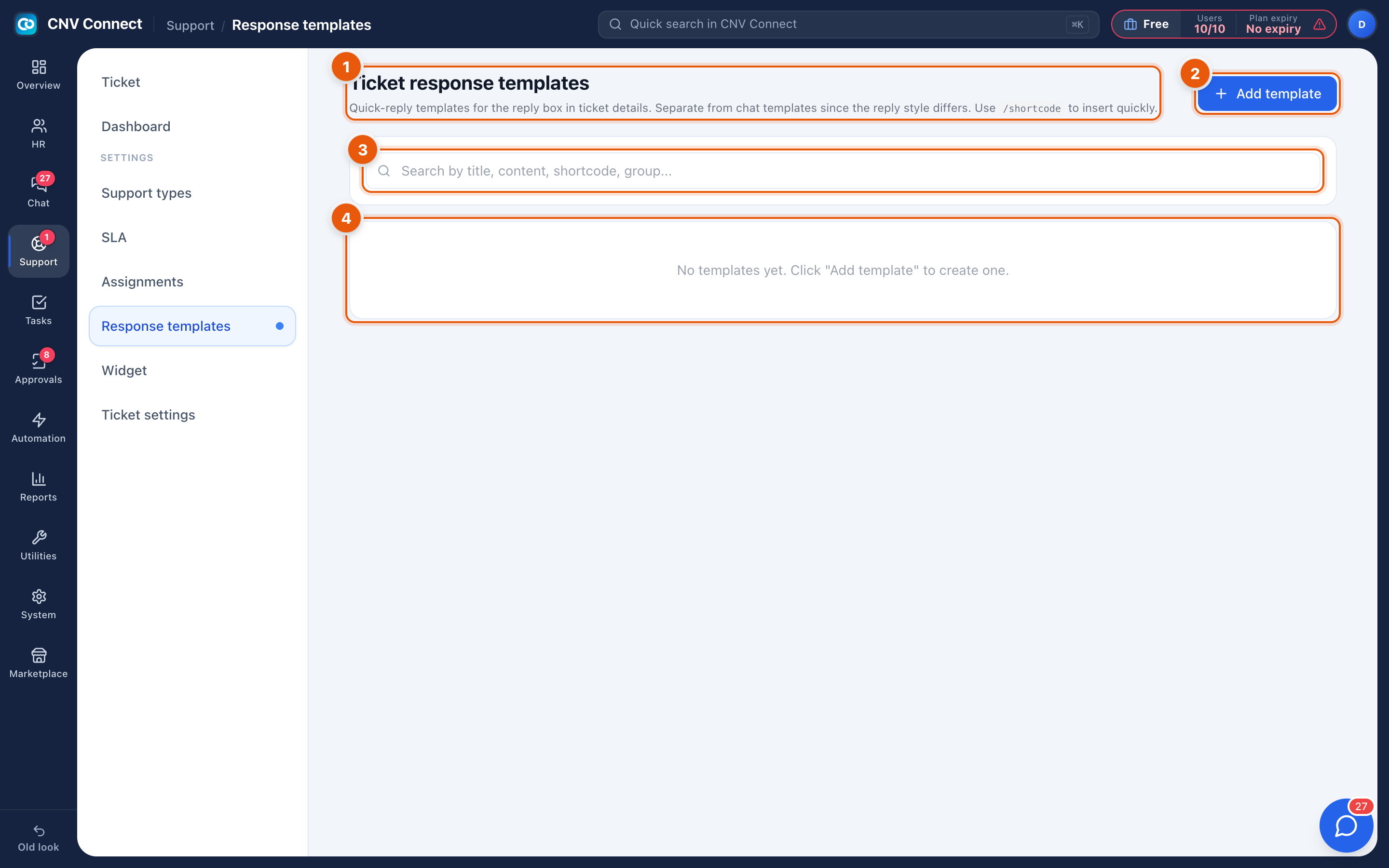
- Page title — quick-reply templates for the reply box on a ticket.
- Add template — create one.
- Search — by title, content, short code or group.
- Empty state — nothing to insert yet; the Template button on a ticket will offer nothing until this list has entries.
How to…
Create a template
- Select Add template.
- Give it a title an agent will recognise in a hurry ("Password reset steps").
- Write the body. Keep the tone neutral so it fits most situations.
- Assign a short code — typing it in the reply box inserts the template without opening the picker.
- Group related templates so the list stays navigable as it grows.
Use one
In a ticket, select Template in the reply toolbar and pick it, or type its short code. Always read the inserted text before sending — a template that has not been adapted is usually obvious to the customer.
Keep the library healthy
Review it every few months: delete templates nobody uses, and turn a reply you have written three times this week into a new one.
Notes
- Templates are for the customer response box as well as internal notes.
- They are plain content, not automations; nothing is sent on your behalf.
- For messages the system sends automatically, see Notification templates and E-mail templates.