
Appearance
API keys
Keys that let another system talk to your workspace's API — a website, an internal tool, a data pipeline.
Menu path System › Integrations › API Keys
Address https://hub.cnvconnect.com/api-keys
Permission api_keys:view
Who uses it administrators, developers
The screen
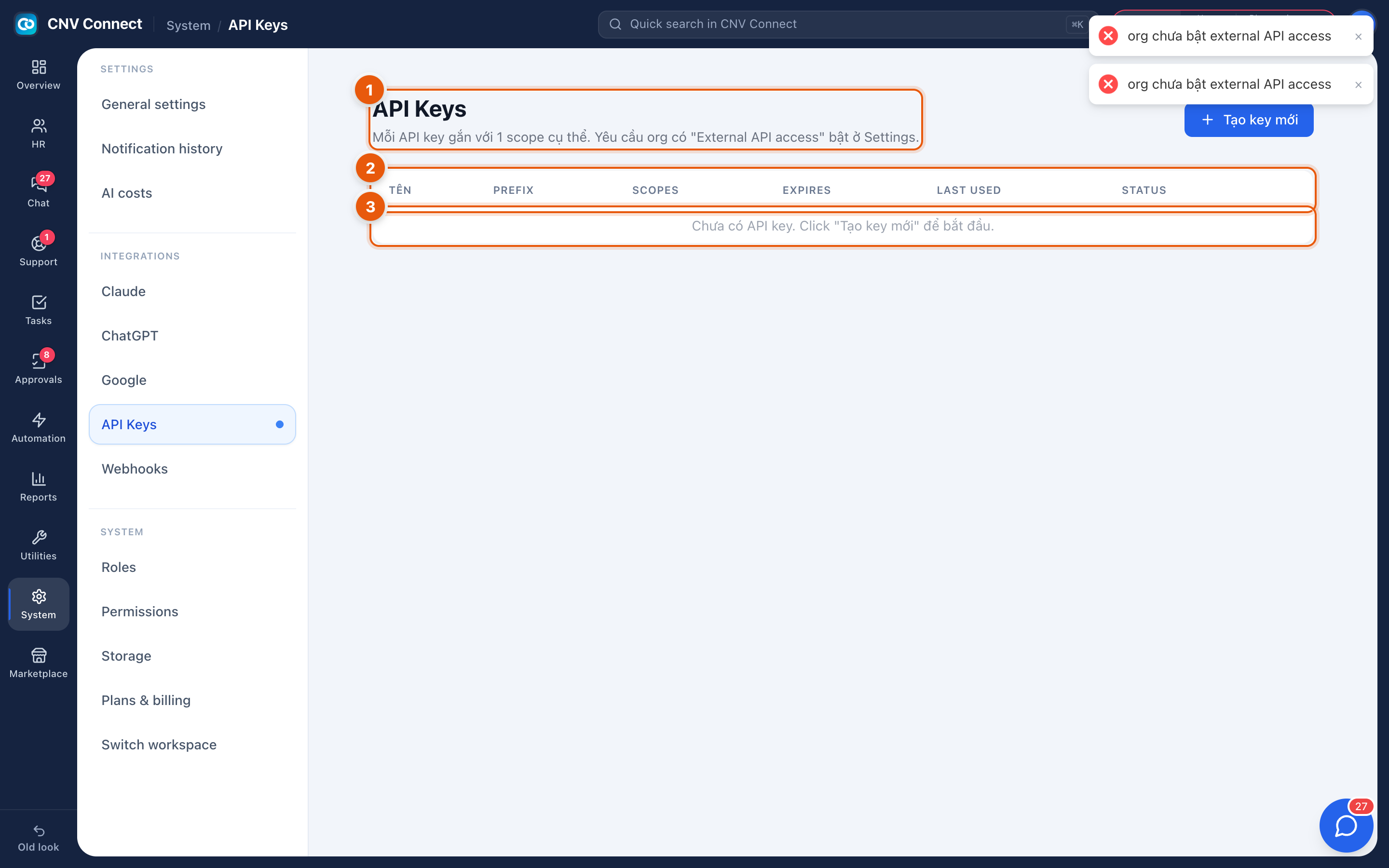
- Page title — each API key is tied to a specific scope. The create key button sits on this row.
- Columns — name, prefix, scopes, expiry, last used and status.
- The list — empty here, with a "no API keys yet" message.
How to…
Issue a key
- Select create key.
- Name it after the system that will use it, not the person who created it — website contact form, not David's key.
- Choose the scopes: the narrowest set of permissions that system needs.
- Set an expiry date. A key that never expires is a key nobody ever reviews.
- Copy the key when it is displayed. It is shown once; after that only the prefix remains visible.
Audit your keys
The last used column is the audit: a key that has not been used in months is either dead or a liability. Revoke it.
Rotate a key
Issue the new key, move the calling system onto it, confirm traffic on last used, then revoke the old one.
Notes
- Scopes limit what the key can do; they cannot be widened after the fact without issuing a new key.
- A leaked key is revoked here and takes effect immediately.
- Outbound integration — your workspace calling them — is Webhooks.